



Why PLAYDASH Runs Directly in Mobile Browsers Without an APK File Installation
Direct Technical Summary: The PLAYDASH mobile experience is entirely browser-based. No confirmed standalone native application is listed on Google Play or the Apple App Store in the published platform specifications, and there is no requirement to sideload third-party APK binaries onto your smartphone. The real operational choice is not between an installed software binary and a website; it is between opening the platform inside a normal mobile browser tab or pinning a home-screen shortcut (Progressive Web App or iOS WebClip) that launches the exact same live web service.
From a systems perspective, running inside modern mobile browser engines on Android and iOS guarantees that the cashier, promotional cards, slot catalogue, live dealer streams, and sportsbook odds synchronise directly with the central account ledger over 256-bit SSL encryption. The platform operates under Anjouan gaming licence number ALSI-202410062-FI2 issued by the Government of the Autonomous Island of Anjouan. Players can inspect official mobile launcher documentation at playdash.app and the companion launcher guide at playdashapp.com before configuring their device.
Official Mobile Browser, Android Chrome PWA & iOS Safari WebClip
Executes inside the operating system's protected browser sandbox. It consumes negligible local storage, pulls interface updates and security patches automatically on every page refresh, and never asks you to enable risky "Install unknown apps" permissions at the device level.
Unverified Third-Party APK Files & Unofficial App Mirrors
Downloadable installer packages circulated on social channels or third-party download sites have no verifiable link to your PLAYDASH account. Sideloaded APK files can contain altered sign-in overlays, credential harvesters, or intrusive permissions requesting access to SMS one-time passwords and contacts.
- Minimal Device Storage Footprint: The browser caches only essential UI scripts and compressed WebP assets rather than unpacking a multi-hundred-megabyte binary onto your phone storage.
- Automatic Server-Side Updates: Whenever lobby filters, tournament leaderboards, or cashier payment gateways change, the next page load reflects the current version immediately without manual patching.
- Account State Lives on the Server, Not the Handset: Your wallet balance, betting history, verification status, and VIP progression belong to your registered login credentials. Replacing a phone or deleting a home-screen icon never erases account funds.
- Scoped Hardware Permissions: The browser requests camera or file-picker access only at the exact moment you upload KYC verification photographs or promotional claim screenshots.
| Mobile Access Route | Architecture Layer | Runtime Behaviour | Security & Session Impact |
|---|---|---|---|
| Standard Browser Tab (Chrome / Safari) | Standard Browser | Displays the full URL address bar, TLS padlock indicator, and standard tab controls | Easiest way to verify the exact domain name before entering login credentials |
| Android Chrome PWA Shortcut | Home-Screen Launcher | Installs a launcher icon on the Android home screen and opens in standalone full-screen view | Shares Chrome's secure cookie jar and TLS stack while eliminating accidental URL bar taps |
| iOS Safari WebClip Shortcut | Home-Screen Launcher | Created via Safari's Share sheet (Add to Home Screen) to launch an app-like viewport on iPhone | Runs on Apple WebKit with isolated local storage and rapid one-tap access from the home grid |
| In-App Social WebView (LINE / Facebook) | Restricted WebView | Opens links inside an embedded messaging browser rather than the system default browser | Ephemeral cookies and broken deep-link handoffs when switching to banking apps for payment approval |
| Third-Party Sideloaded APK | Unverified Binary | Requires bypassing Android security warnings to install an external package | High risk of credential interception or spoofed cashier screens; never install or sign in |
Five Practical Decisions Every Thailand Player Makes and What Each Path Changes
Using PLAYDASH on a mobile phone involves more than adapting to a smaller screen. Every decision you make during initial setup and daily play determines downstream rules for session recovery, payout routing, bonus turnover, and compliance verification. Below are the five structural choices examined across this reference site.
- Decision 1 — Browser Tab vs Home-Screen Icon (PWA / WebClip): Pinning the site to your home screen via Android Chrome or iOS Safari gives you an app-like full-screen frame and prevents mistyping URLs in search engines, while still connecting to the exact same live web platform. See the complete walkthrough in PWA & iOS WebClip Setup.
- Decision 2 — Conventional Cashier Rails vs Cryptocurrency (USDT): Your deposit method directly governs your future withdrawal route. Under PLAYDASH anti-money-laundering (AML) rules, cryptocurrency withdrawals (USDT on TRC-20 or ERC-20) are restricted exclusively to accounts that previously funded their balance using cryptocurrency. Review the full checklist in Account & Cashier Decisions.
- Decision 3 — Slots vs Live Dealer Tables vs Fast Games vs Sportsbook Slips: All four verticals share a single account wallet but behave differently over mobile networks. Slots and fast games settle in seconds, live tables require continuous video bandwidth and strict betting windows, and sportsbook parlays multiply odds up to a hard accumulator ceiling of 2,000. Explore network behaviour in Mobile Session Stability.
- Decision 4 — Zero-Wagering (0x) Rewards vs Turnover-Bound Bonuses: Not every promotion carries the same withdrawal lock. Daily mechanics such as One Day, One Loot (up to 29 PD Coins) and Weekend Slam state 0x wagering on their published rewards, whereas welcome packages and deposit matches require completing turnover before cash-out. Compare offer mechanics in Selecting Games & Promotions.
- Decision 5 — Verifying Early vs Waiting Until Your First Payout: Registration, deposits, and gameplay can begin right after confirming a phone number or email. However, full KYC document verification becomes mandatory when submitting any withdrawal, when cumulative deposits exceed the equivalent of EUR 10,000, or during security checks. Preparing clear phone photos of your documents early prevents payout bottlenecks.
Turning the Mobile Site Into a Home-Screen Icon and Leveraging Phone Hardware
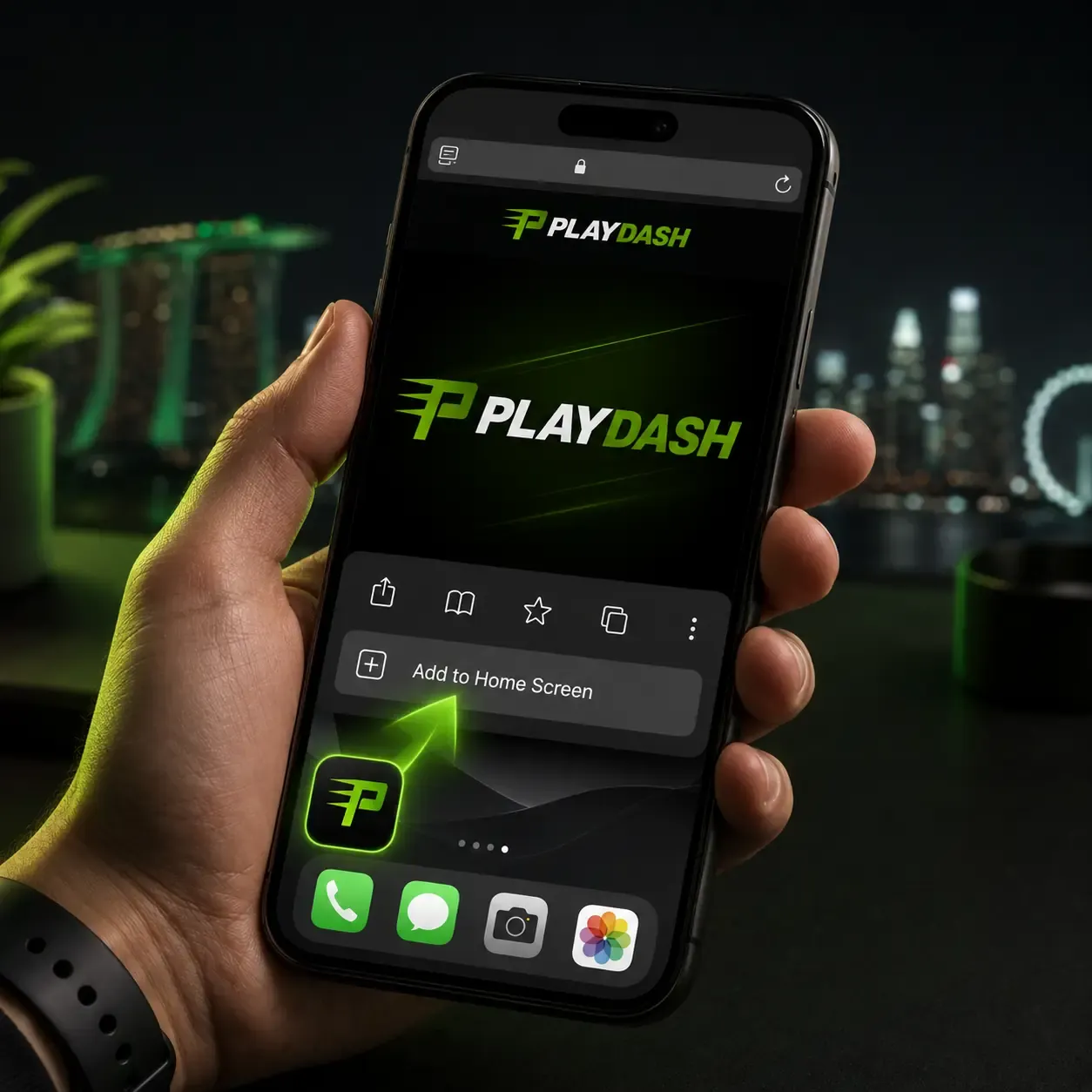
Creating a home-screen shortcut delivers a single-tap launch experience without downloading a separate software client. On Android, open the platform in Chrome, open the browser menu, and tap Add to Home screen (or Install app). On iOS, open the platform in Safari, tap the Share icon at the bottom of the screen, and choose Add to Home Screen.
An icon then appears alongside your regular smartphone applications. Depending on your operating system and browser version, launching from that icon opens a clean viewport without the standard address bar clutter, while still loading the current web version of PLAYDASH.
Your smartphone hardware also plays three direct operational roles during account management. First, the phone camera captures high-resolution images of identity documents and selfies required for KYC verification, while native screenshot tools record scatter wins or transaction IDs for live chat claims. Second, screen orientation affects usability: portrait mode suits one-handed slot browsing and cashier forms, whereas rotating to landscape mode widens live dealer video streams and multi-column sportsbook markets. Third, bank payment authentication happens outside the PLAYDASH interface inside your dedicated mobile banking application.
Thailand Cashier Architecture, USDT Network Selection, and the Deposit-to-Payout Rule
Core Cashier Principle: How money reaches your PLAYDASH balance matters because it determines how money can leave the account later. For players in Thailand, available payment methods, currency display, and transaction limits are presented dynamically inside the account cashier after signing in. You can also consult the regional Thailand reference portal at playdashth.com for general platform orientation.
When authorising a conventional bank or wallet deposit on a mobile device, payment confirmation takes place inside your banking application. PLAYDASH states that full banking credentials or card passwords are not passed through its own servers during that external authorisation step. Always verify the currency displayed during registration and inside the cashier before confirming any payment, and ask Thailand support if you need clarification before depositing.
USDT on TRC-20 and ERC-20 and Why the Funding Route Governs Withdrawals
PLAYDASH supports cryptocurrency deposits and withdrawals using USDT across two blockchain networks: TRC-20 and ERC-20. On a smartphone screen, double-checking the selected network is critical. The network chosen in your sending wallet must match the exact network of the deposit address generated in the cashier; sending USDT across mismatched networks can render funds permanently unrecoverable.
- The AML Crypto Payout Linkage Rule: Under PLAYDASH anti-money-laundering controls (SDD / CDD / EDD), cryptocurrency cash-out is available only to players who previously funded their account in cryptocurrency. The source and destination of funds must remain connected.
- Practical Consequence for Thailand Players: If you intend to withdraw your balance via USDT, your initial deposit route must also be cryptocurrency. Funding an account through a bank or wallet rail and later attempting to switch the withdrawal channel to USDT is not supported under the stated platform rules.
- Daily Withdrawal Cycle Reset in Thai Local Time: Daily withdrawal request counters and volume ceilings reset at 08:00 UTC+8. Because Thailand operates on UTC+7, the daily withdrawal cycle resets at 07:00 AM local Thai time.
- Handling Pending Withdrawal States: A withdrawal request can remain in pending status while awaiting mandatory KYC verification, active bonus turnover verification, or payment gateway checks. Avoid cancelling and resubmitting a pending request repeatedly, as doing so resets its queue position.
Mobile Game Catalogue Mechanics: 38 Slot Studios, 12 Live Studios, Fast Games & Sportsbook
Opening PLAYDASH in a mobile browser grants access to the full multi-vertical catalogue using a single unified balance. Broader regional overviews of the software line-up can be cross-referenced at playdashasia.com/en and playdashcasino.com.
38 Slot Providers, Category Filters, and Demo Mode Boundaries
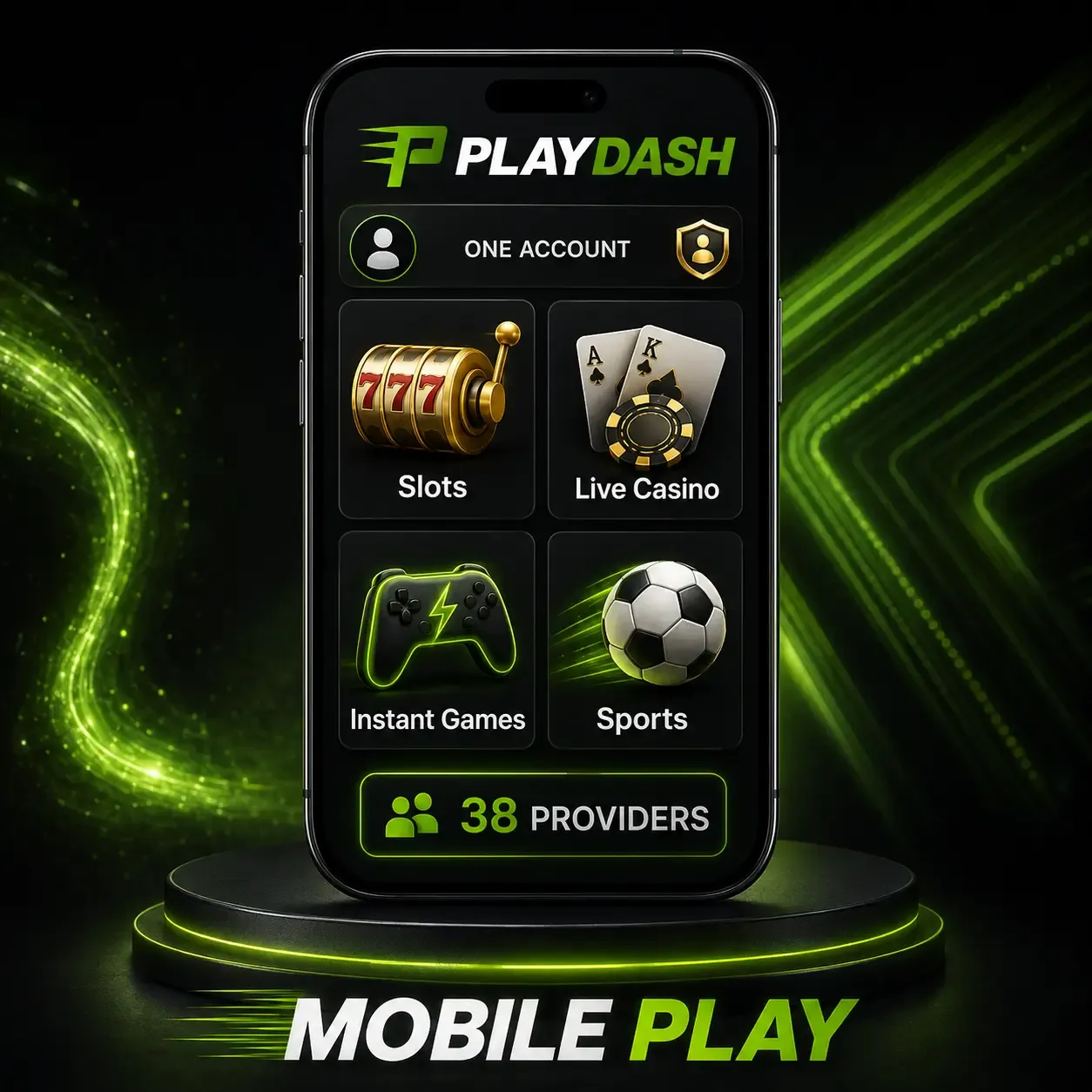
The slot library spans 38 studios. The largest confirmed provider catalogues are Pragmatic Play (620 titles), KA Gaming (541), Spinomenal (509), Playtech (404), Hacksaw (332), Yggdrasil (293), and VoltEnt (224), alongside Habanero, Betsoft, Evoplay, BGaming, Nolimit City, Microgaming, EGT Digital, RubyPlay, Booming Games, Jili, Relax Gaming, Big Time Gaming, Thunderkick, Blueprint, Play'n GO, Spadegaming, Fachai, 3 Oaks, and Skywind.
Four mobile lobby filters help narrow thousands of titles: Jackpot, Bonus Buy, High RTP, and Asian Themes. Remember that theoretical RTP is a long-term statistical calculation and never guarantees a specific session outcome. Furthermore, mientras Demo Mode lets you inspect slot mechanics with virtual funds, demo spins and paid Bonus Buy feature rounds do not qualify for slot tournaments or multiplier challenges.
12 Live Dealer Studios and Sub-Minute Fast Games
Live casino tables stream real dealers from 12 studios: Evolution, Pragmatic Play Live, Playtech, Creedroomz, Ezugi, Asia Gaming, Winfinity, TVBet, ICONIC21, 7Mojos, Skywind Live, and Eeze, covering Baccarat, Roulette, Blackjack, Dragon Tiger, Sic Bo, and Game Shows with timed betting windows. Fast games (Crash, Plinko, Mines, Arcade) feature short-cycle titles such as Chicken Road 2.0 (by Inout), Aviatrix, and TVBet.
Sportsbook Across 12 Disciplines, Parlay Boost, and the 2,000 Odds Cap
The mobile sportsbook covers pre-match and live in-play markets across 12 disciplines: football, basketball, esports, badminton, tennis, table tennis, volleyball, baseball, cricket, kabaddi, hockey, and futsal. Players can place single wagers or combine multiple outcomes into a parlay (accumulator), where every leg must win for the ticket to pay out.
Qualifying parlays of 3 to 20 selections (each at minimum odds of 1.20) receive a Parlay Boost paid after full ticket settlement:
- 3 legs
- +2%
- 4 legs
- +4%
- 5 legs
- +6%
- 6 legs
- +8%
- 7 legs
- +10%
- 8 legs
- +12%
- 9 legs
- +16%
- 10 legs
- +18%
- 11 legs
- +20%
- 12 legs
- +22%
- 13 legs
- +24%
- 14 legs*
- +28%
- 15 legs*
- +26%
- 16 legs*
- +28%
- 17 legs
- +30%
- 18 legs
- +35%
- 19 legs
- +40%
- 20 legs
- +50%
*14–16 leg percentages are reproduced as published by the operator. Crucially, combined accumulator odds are capped at 2,000; if the mathematical product of your selections exceeds 2,000, settlement is still calculated using the 2,000 ceiling.
Thailand Promotions Reference Matrix, Chicken Cross Road Mechanics & Quarterly VIP Tiers (THB)
Before activating any promotional card on your phone, verify whether the reward carries 0x wagering or a turnover requirement, and always activate the selected offer before making its qualifying single deposit. The reference matrix below summarises the published Thailand promotional ceilings in Thai baht (THB). Additional membership and ecosystem reference material is published at playdashth.vip and playdash.me.
| Promotion / Event Name | Lobby Filter | Published Thailand Ceiling (THB / Unit) | Key Operational Rule on the Offer Card |
|---|---|---|---|
| One Day, One Loot | General / Daily | Up to 29 PD Coins | 24-hour cycle lootbox; 0x wagering on awarded PD Coins after a single qualifying deposit |
| Daily Slots / Extra Free Spins Hunt | Slots | Up to 188x Free Spins (188 / 88 / 38 tiers) | Qualifying deposit must be completed in a single transaction; resets daily |
| Weekly Attendance / Perfect Attendance | General | Up to THB 1,666 (Day 7) | Requires maintaining an unbroken 7-day consecutive daily check-in and play sequence |
| Daily Rescue | General / Mix | Up to THB 1,000 | Daily rescue support structured around net daily thresholds on the promotion card |
| Weekend Slam (2 Choose 1) | Slots / Sports | Choose 1: Free Spins or Sports Free Bet | 0x wagering on the stated reward; select and activate your choice before depositing |
| Scatters Challenge (Triple Day) | Slots | Up to THB 5,999 | Land 4–6 Scatters in a real-money spin (Mon/Wed/Fri on designated slots like Sugar Rush 1000); Bonus Buy excluded |
| Chicken Cross Road (Chicken Road 2.0) | Instant Games | THB 5,999 Tournament + up to 50 Free Rounds random drop | Wagering Bonus: every THB 50,000 in qualifying bets on Chicken Road 2 awards 10 Free Rounds (10.0 value each) |
| Welcome Bonuses Pack (5 Options) | All / Welcome | 138x Free Spins or 100% (Slots / Live / Sport / Risk-Free) | New accounts only; subject to activation countdown timer prior to first qualifying deposit |
7-Tier Quarterly VIP Matrix for Thailand (THB)
Thailand VIP progression is evaluated across 7 quarterly tiers: Tier 1 (Entry / Birthday Benefit THB 38), Tier 2 (THB 50,000+), Tier 3 (THB 200,000+ — introduces a Dedicated VIP Manager), Tier 4 (THB 400,000+), Tier 5 (THB 800,000+), Tier 6 (1.5 MIL / THB 1,500,000+), and Tier 7 (By Invitation). Published tier benefits scale across Monthly Scratch Card Ceilings (88 to 3,888), Monthly Deposit Bonuses (THB 100 to THB 5,000), Monthly Free Spins (50 to 1,500), Extra Referral Tier Amounts (THB 50 to THB 2,000), Birthday Benefits (up to THB 5,888), and Event Prize Multipliers, alongside Daily Rakeback up to 1% (0x wagering) and Weekly Cashback up to 5%.
Registration Rules, the One-Account Policy, and Mid-Session Interruption Recovery
Mobile registration follows four steps: (1) tap Sign Up, (2) enter a phone number or email address and create a password, (3) confirm the contact channel, and (4) verify the displayed account currency before making an initial deposit. Completing contact verification also links to the Verification Quest (10 Free Spins under published terms).
Strict Single-Account Rule: Every player is permitted only one account. Automated checks flag matching IP addresses, mobile device fingerprints, and shared payment instruments. Never register a second profile if you forget your password or encounter a loading error, as duplicate accounts risk losing promotional eligibility and facing compliance locks.
If your mobile browser loses signal mid-spin, during a live dealer hand, or while returning from a banking app redirect, always inspect your transaction or betting history before repeating the action. Once a wager or deposit instruction reaches the PLAYDASH server, settlement completes on the backend even if your phone screen temporarily disconnects.
Keeping Mobile Sessions Inside Safe Boundaries: Responsible Gambling Controls
Because a phone is always within reach, mobile casino and sportsbook access requires deliberate boundaries. Decide your maximum spend and session duration before tapping your browser or home-screen icon, never play with funds needed for essential living expenses, and never increase stakes to chase prior losses.
- Voluntary Deposit Limits: Request deposit ceilings through customer support to cap how much can be funded over a chosen period.
- Cooling-Off Breaks: Take a structured temporary pause from account activity when play stops feeling purely recreational.
- Fixed-Term or Indefinite Self-Exclusion: Close account access after open bets settle. Full guidance is available on our Responsible Gambling page.
- Removing the Home-Screen Shortcut: If you find yourself opening the platform out of reflex, delete the PWA or WebClip icon from your phone screen. Removing the shortcut deletes only the launcher icon without affecting your account balance.
Frequently Asked Questions for Thailand Players (FAQ)
Is there a Thai-language version?
Yes. Choose Thai on the Thailand regional site. If you cannot find the language setting, ask the Thailand contact for help.
Does my account use Thai baht?
Check the currency shown during registration and in the cashier before making a payment. Contact Thailand support if you need the account currency explained before depositing.
Which payment methods can I use in Thailand?
The cashier shows the available methods and their limits for your account. Use those instructions and check the currency and recipient details before authorising a payment.
Can I use the bonuses shown on a Malaysia page?
Only if the offer is available to your account and you meet its conditions. Check the Thailand Promotions section for eligibility, currency and reward rules before making a qualifying deposit.
Do I need to install an app?
You can use the Thailand site in a compatible mobile browser. Browser/PWA and iOS WebClip launcher options also include Thailand. Follow the linked setup instructions if you want a home-screen launcher.
Can I contact PLAYDASH through LINE?
Use the Thailand LINE link on this page to reach the regional contact. The PLAYDASH portal also lists a Thailand support route for account questions.
What can delay a withdrawal?
The payment method, account verification and checks on the request can affect processing. Review the status in your account and provide the transaction reference when contacting support.
Continue to the Dedicated Mobile Companion Guides
Select the guide that matches your current task: open PWA & iOS WebClip Setup for step-by-step launcher installation and cache management; review Mobile Session Stability for 4G/5G handoffs, in-app WebView traps, and server-side round settlement; consult Account & Cashier Decisions before authorising a deposit or USDT transfer; or study Selecting Games & Promotions to compare game pace, THB offer rules, and the 7-tier VIP matrix.